Organize. Customize. Collaborate.
Notable
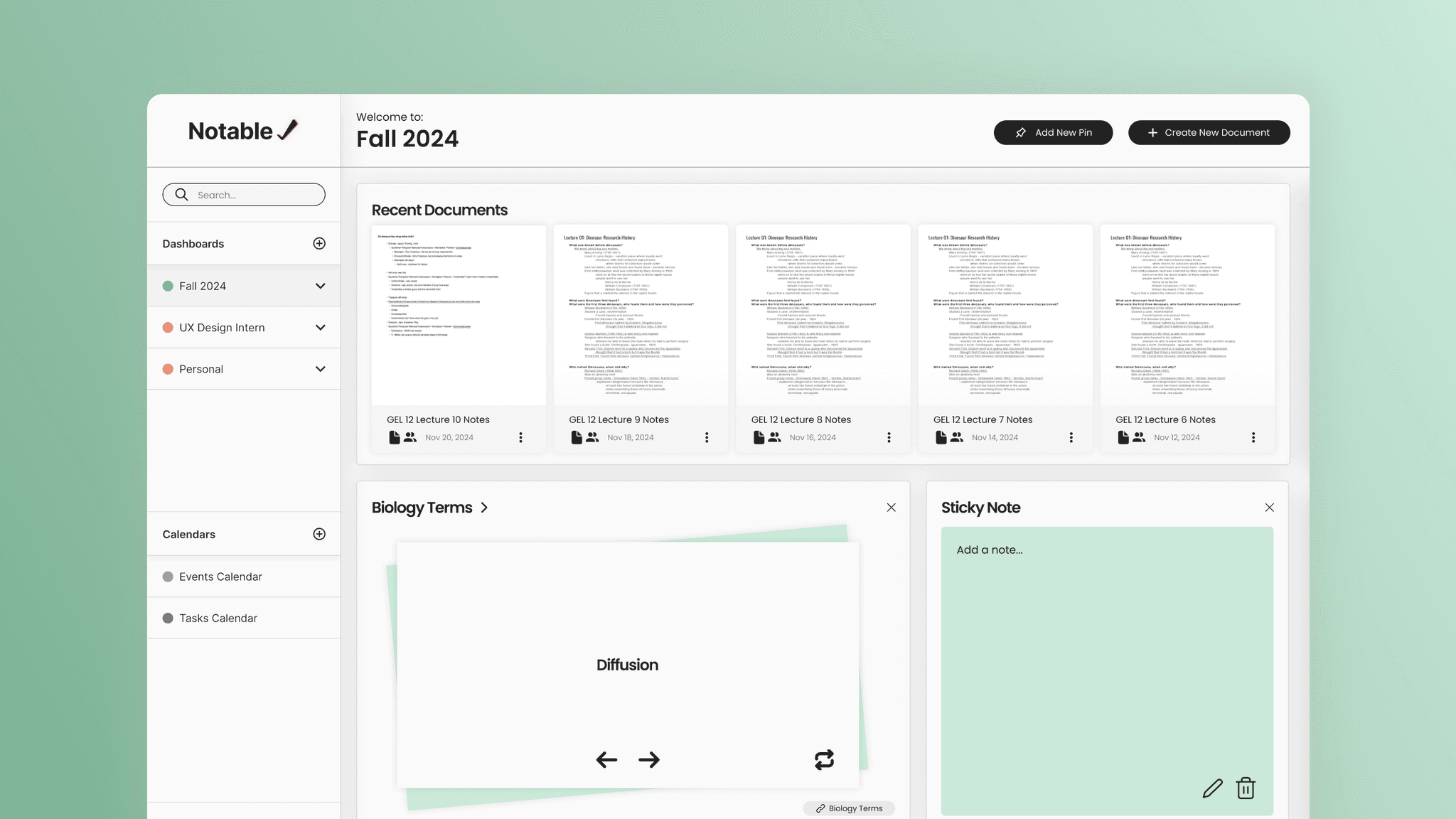
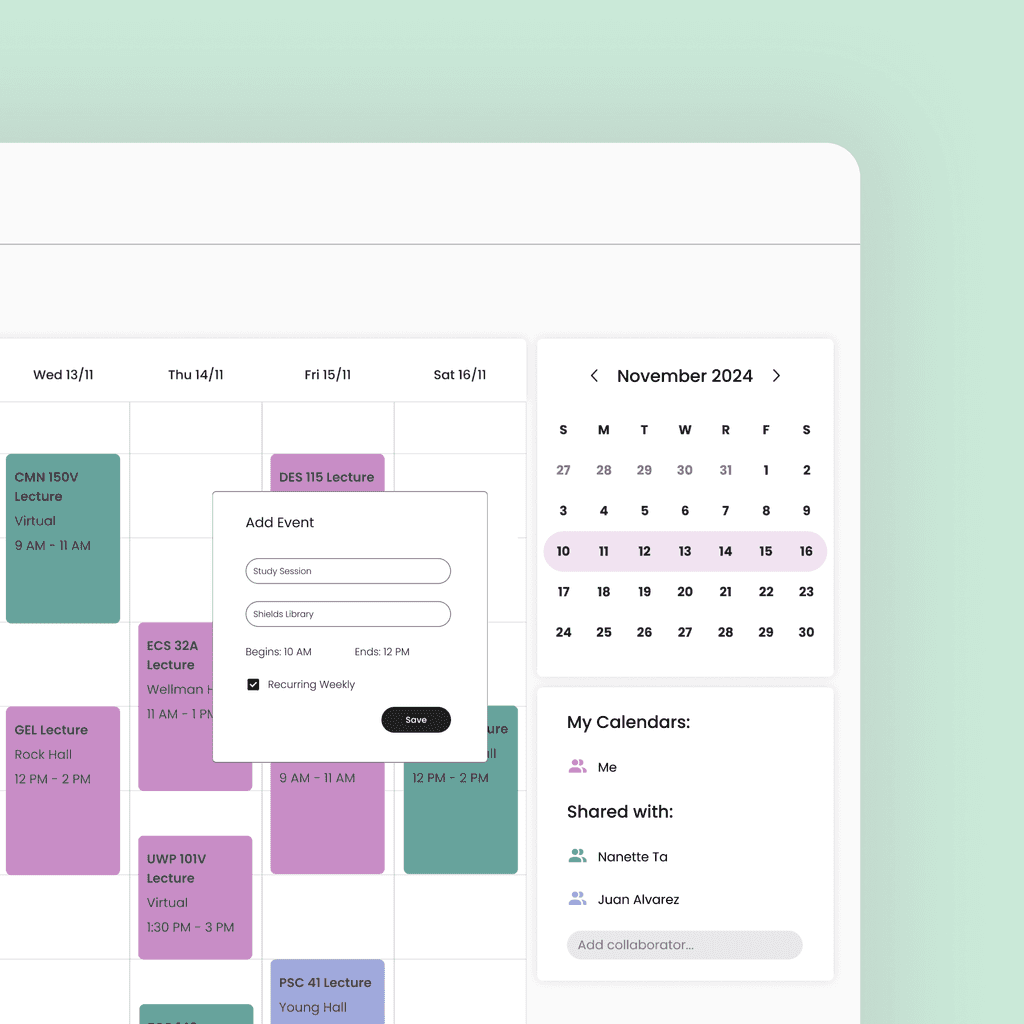
How might we design a note-taking application that allows users to capture and organize their thoughts quickly and effortlessly, no matter where they are?
Goals
Design a note-taking application that allows users to organize their notes quickly and effortlessly.
Create a customizable interface that assists users in their note-taking needs.
Implement collaborative features that streamlines communication and group-productivity.
User Surveys
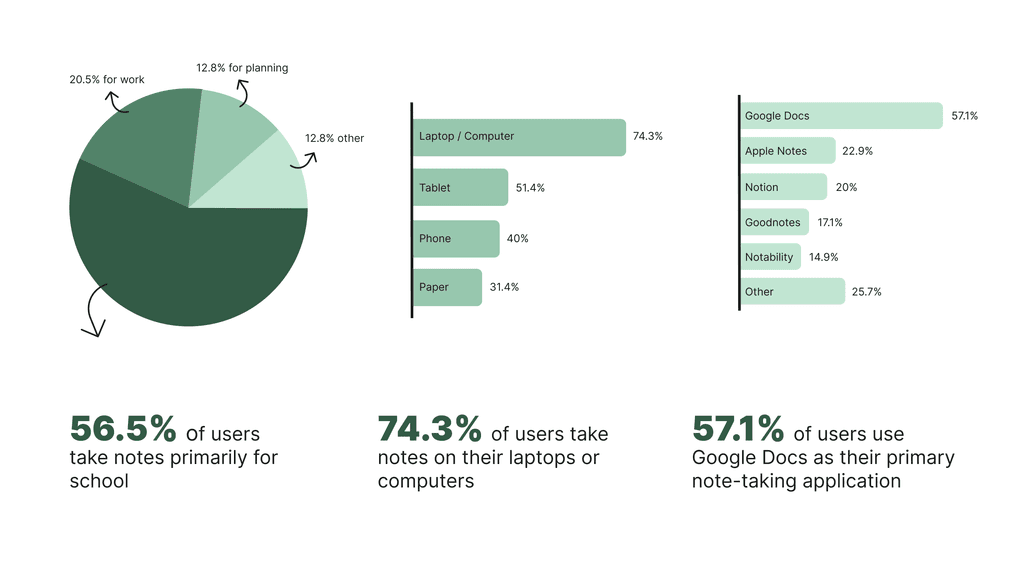
In order to gain a better understanding of our user base, we conducted 35 user surveys with individuals between the ages of 18 and 36. Out of the 35 responses we received, here are the stats that stood out to us:
Competitive Analysis
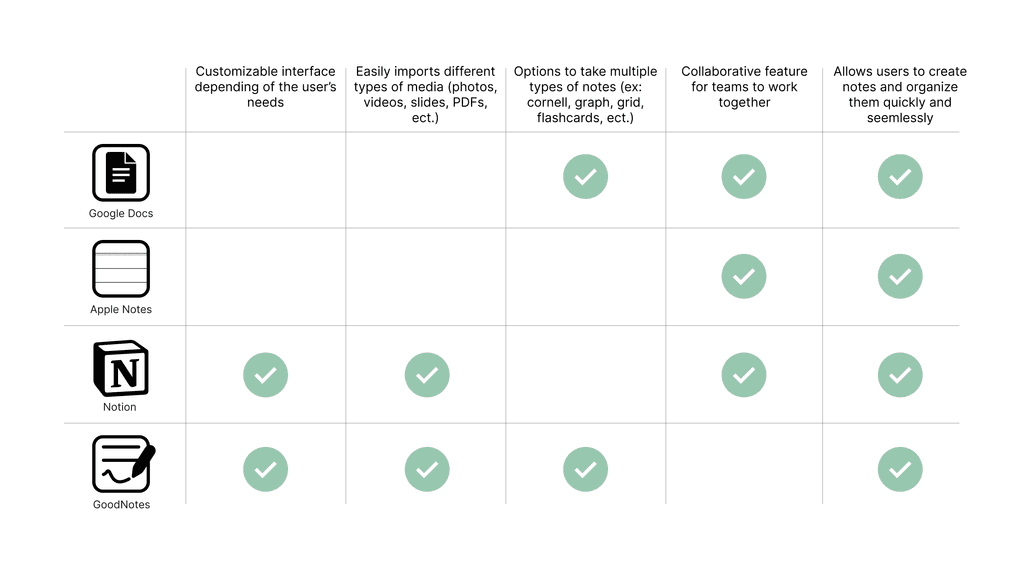
Next, we conducted a competitive analysis with four of the most popular note-taking applications reported in our survey: Google Docs, Apple Notes, Notion, and Goodnotes.
From the competitive analysis, we learned that users preferred note-taking applications that were easy to access, adaptable between multiple note-taking methods, and customizable.
User Interviews
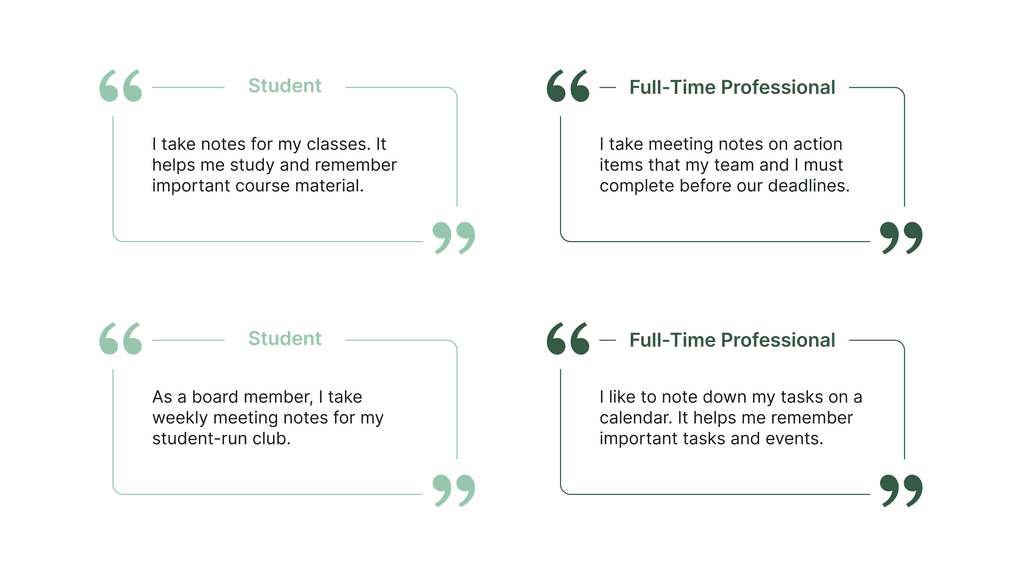
After reviewing our user surveys, I found that most respondents were students. To gain a broader perspective, we conducted four user interviews—two with full-time students and two with working professionals.
These interviews revealed that note-taking habits vary significantly by occupation. For instance, a manager emphasized meeting notes, actionable items, and the importance of team calendars for productivity. In contrast, students primarily used notes for coursework and extracurricular activities.
These insights highlighted our users' diverse needs. As a result, we aimed to design a note-taking application that is inclusive and adaptable to various workflows and goals.
Affinity Mapping
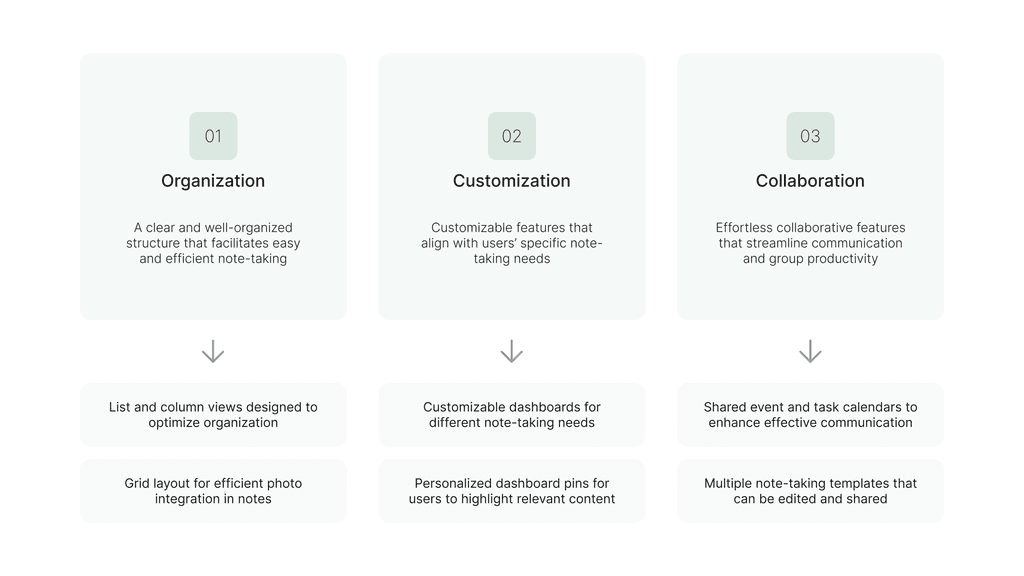
Through an affinity mapping exercise, we synthesized our research to better understand what our users wanted from note-taking applications. This exercise helped us pinpoint three major user needs and subsequent application features that satisfied these needs.
User Flows
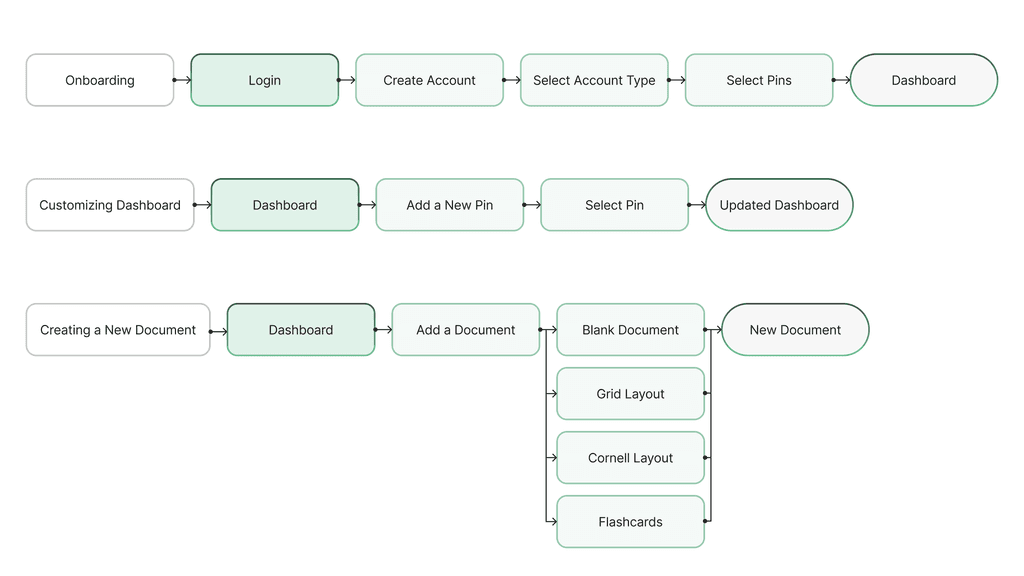
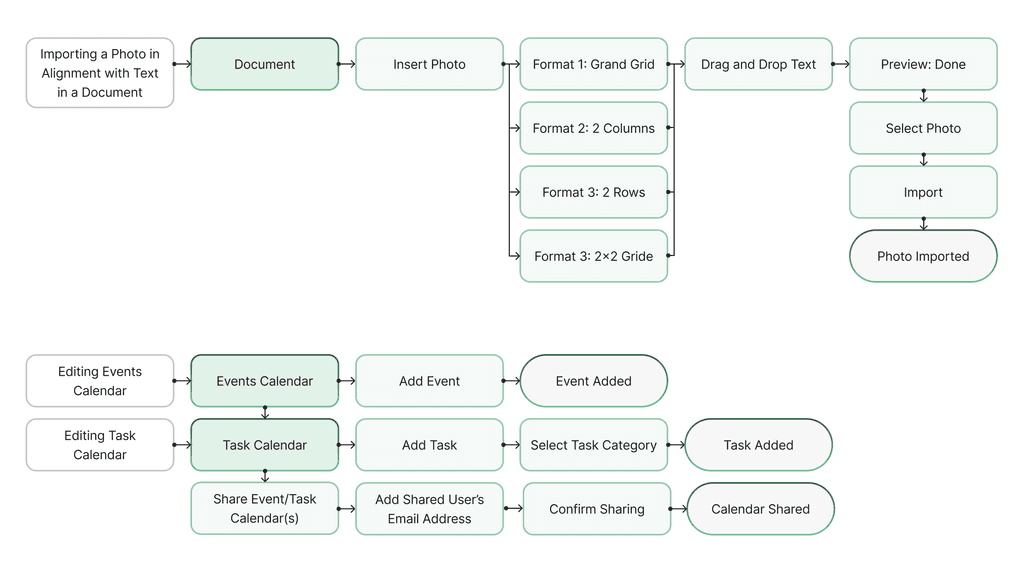
We created six user flows to outline the key interaction paths within the application. These flows provided insight into user behavior, allowing us to identify potential issues and optimize the interface to enhance the overall user experience.
Usability Testing
During our usability testing phase, our team conducted five usability tests with 2 working professionals and 3 full-time students. During these tests, we had our testers complete the following tasks:
Onboarding as a new user
Navigating between three different dashboards
Creating a new document in a specific folder
Editing a pre-existing document by adding text and importing an image
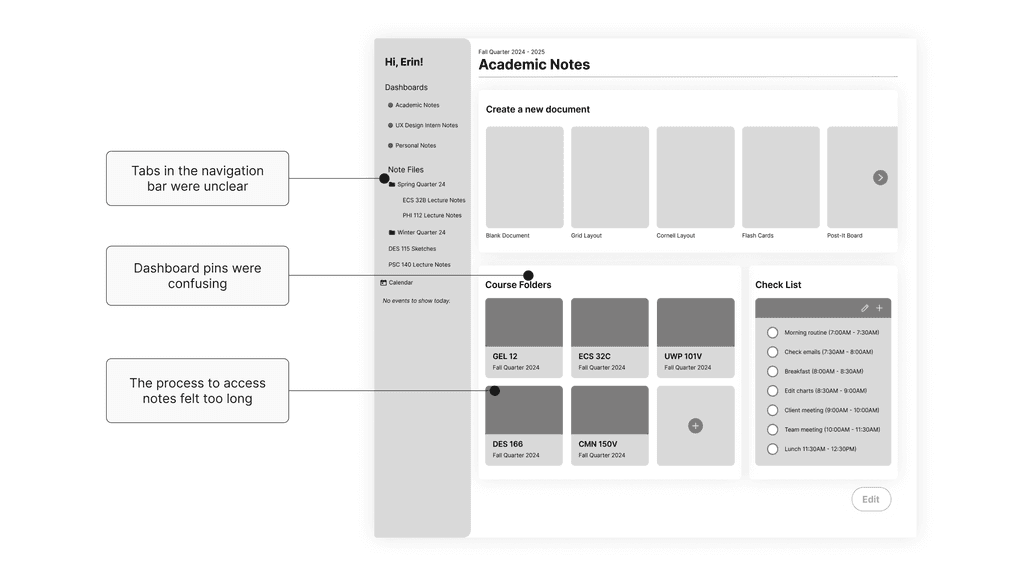
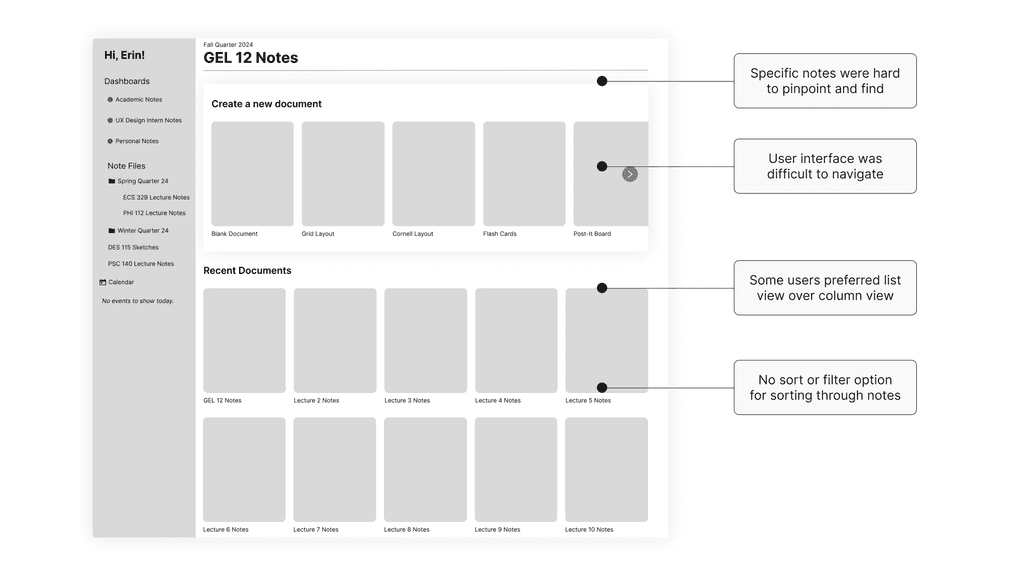
User testing of our mid-fidelity flows revealed several usability issues. Participants struggled to locate specific notes due to the lack of search and sorting features. There was confusion around the functionality of dashboard pins, and the process for importing images and navigating folders was unclear. Additionally, the navigation bar was difficult to use and did not align with the folder structure.
Improving From Feedback
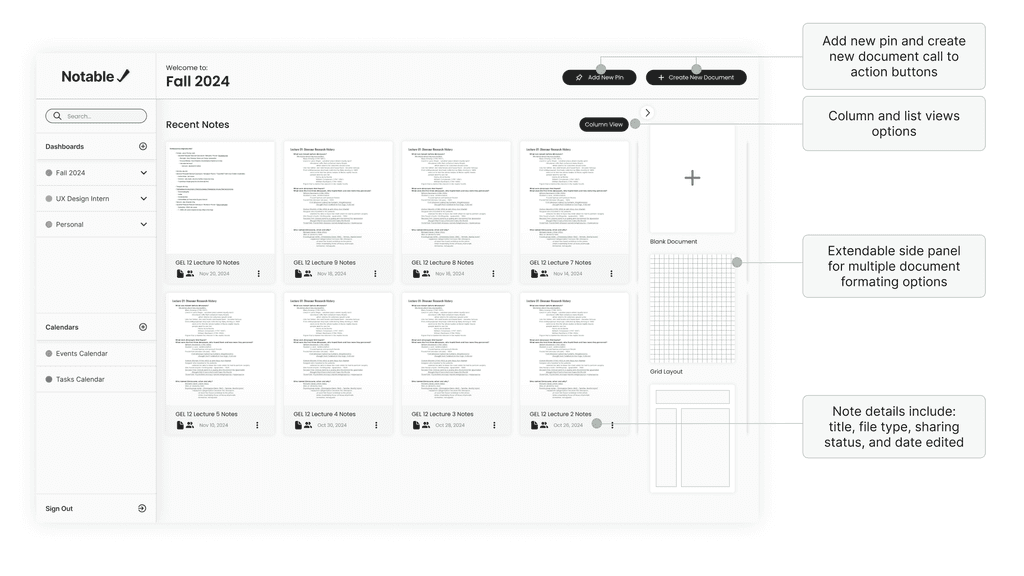
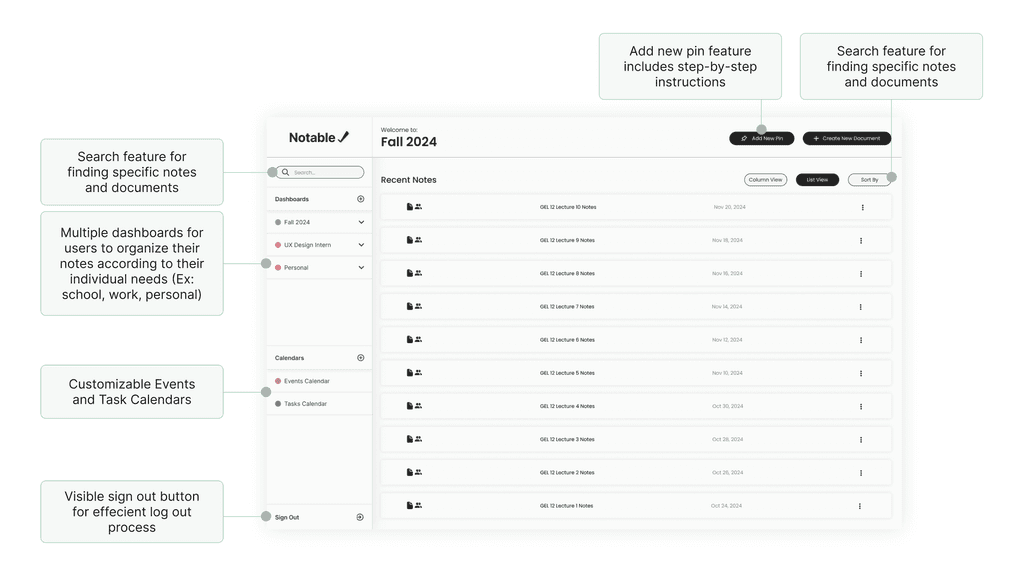
Following usability testing, we developed several iterations of mid-fidelity wireflows, exploring different layouts to determine the most user-friendly and navigable design. Insights from testing guided key improvements to enhance overall usability.
Design System
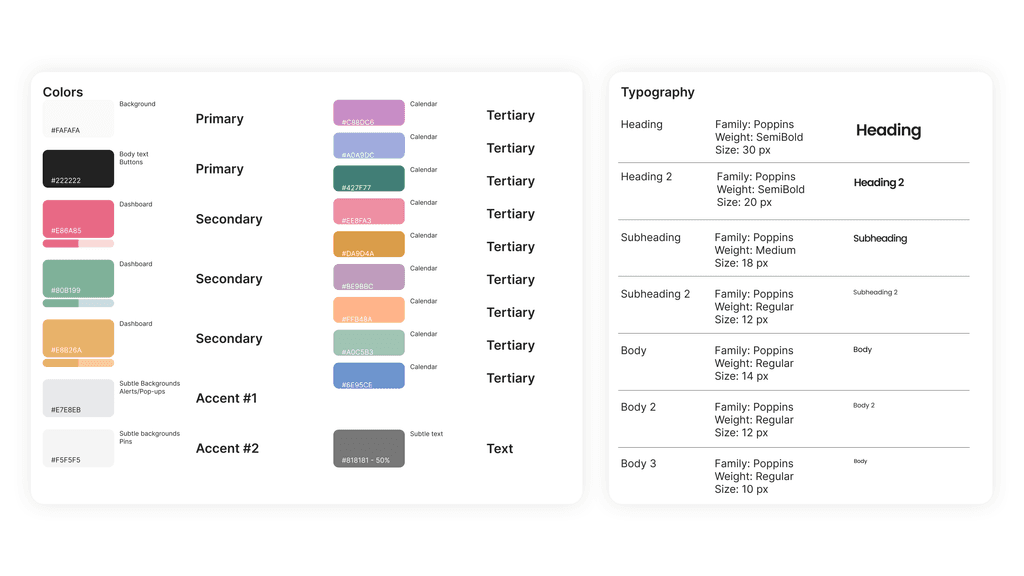
Our design system emphasizes simplicity, utilizing dark grey and off-white as primary colors to create a clean, neutral foundation. Customizable accent colors help differentiate dashboards and reflect user preferences. This approach was informed by user interviews, which revealed that many users rely on color-coding to organize information based on their personal workflows. By aligning with these mental models, we aimed to design an interface that is intuitive, adaptable, and highly customizable.
To ensure a clean and legible reading experience, we selected Poppins as the primary typeface. Its modern, geometric design enhances readability and contributes to a cohesive and visually balanced interface.
Design System
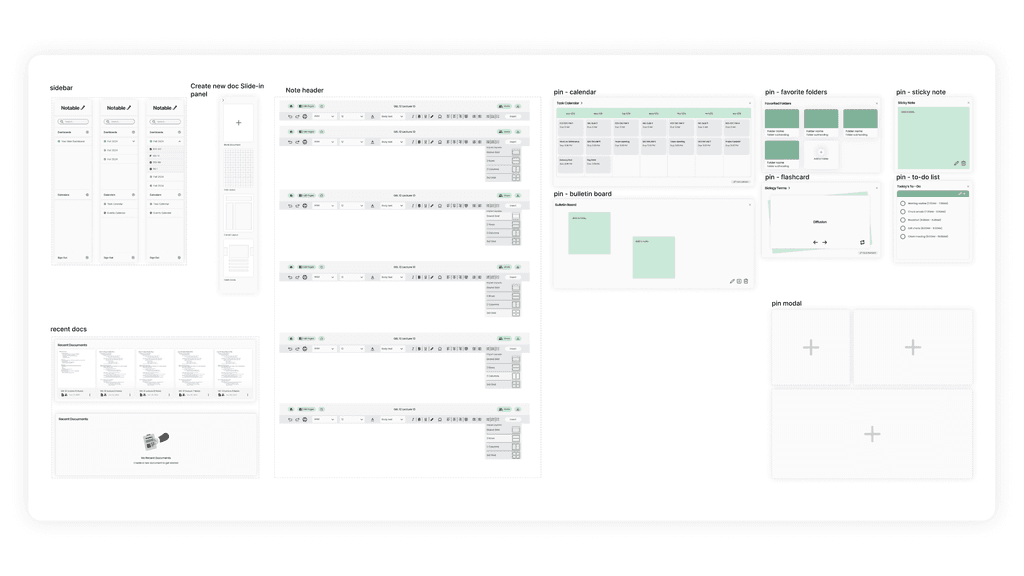
Components were designed to align with dashboard features, with a key focus on prototyping and incorporating motion design elements. By standardizing animation curves and timing, we ensured a consistent and cohesive experience across the interface, enhancing the fluidity and connectivity of the application.
Hi-Fidelity Prototype
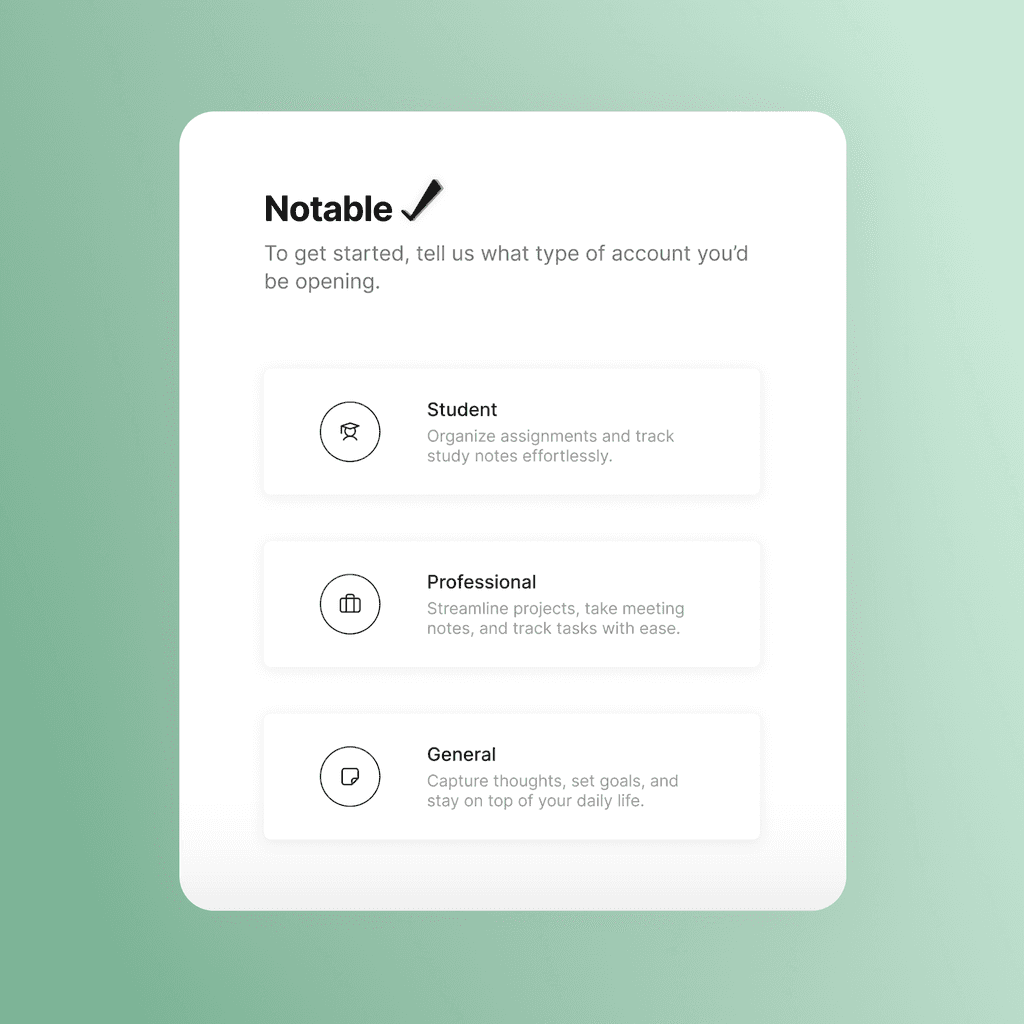
To create an intuitive and engaging onboarding experience, we created a short questionnaire that would gauge the user's note-taking needs. This questionnaire would then pre-populate the user's dashboards with pins that align with their note-taking preferences.

Hi-Fidelity Prototype
Users can add personalized pins to customize their dashboards. Pins range and sizes and can assist users with upcoming action items, studying, or synthesizing ideas on the go.

Hi-Fidelity Prototype
Users can sign in and customize multiple dashboards for different aspects of their lives, such as student and professional use. With color coding and easy switching, they can stay organized across all aspects of daily life.

Hi-Fidelity Prototype
Importing Photos
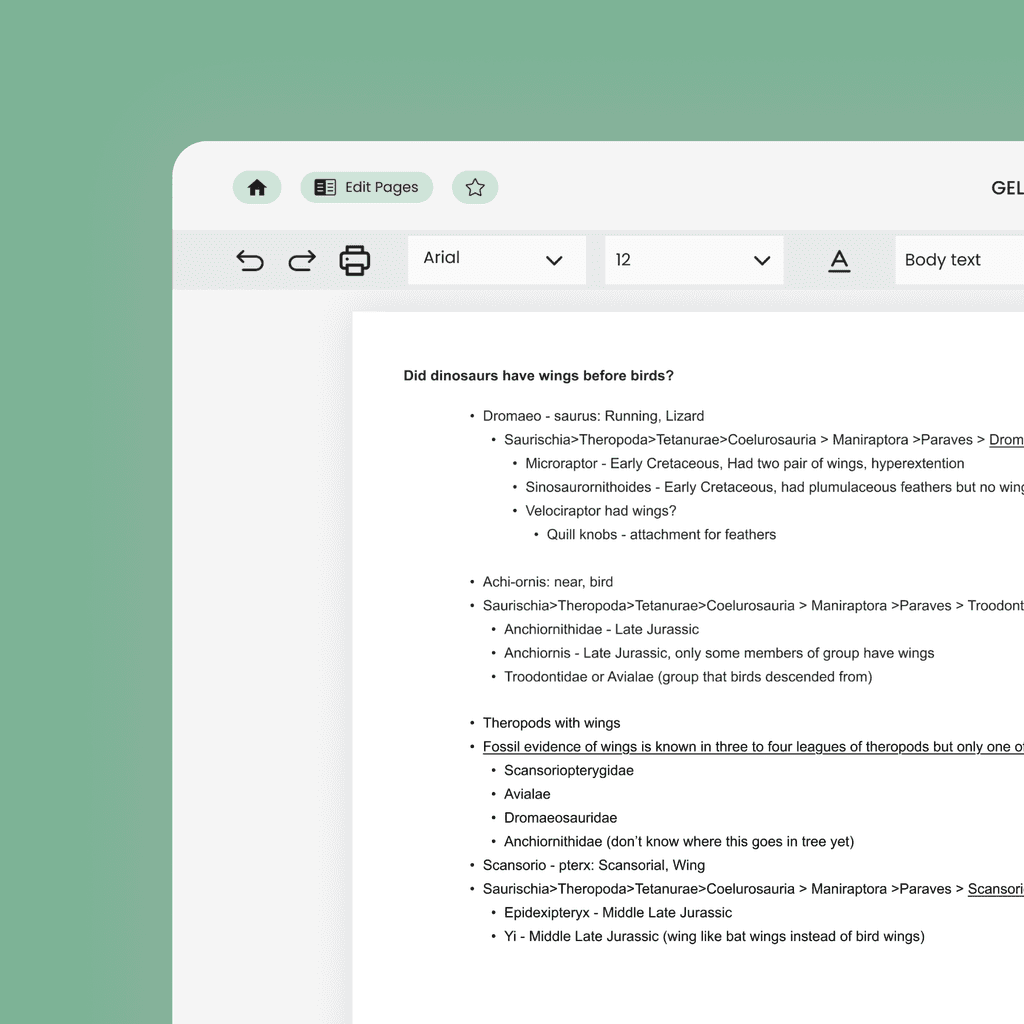
The photo import feature solves formatting issues noted in the survey by using a structured grid. Users can easily drag and drop text next to images without disrupting the document's layout. Ultimately, enabling an efficient and consistent note-taking experience.

Hi-Fidelity Prototype
Users can now create a new document or choose from templates for efficient note-taking. Based on usability testing results, we added column and list view options to enhance navigation. Users can easily toggle between views and use the sort-by feature to locate notes quickly.

Hi-Fidelity Prototype
Based on user feedback, we implemented event and task calendars. The event calendar allows users to add and share events, while the task calendar enables users to manage actionable items and categorize tasks by topic.

Reflection
Key takeaways included the importance of efficiency, organization, and customizability in a note-taking app. Users' needs varied by occupation, highlighting the value of flexible features to serve a diverse user base.